How to Free Up Smartphone Memory by Changing One Setting in WhatsApp
The popular WhatsApp messenger often clogs smartphone storage by duplicating media files in the gallery. Changing a few simple settings will help recover gigabytes of free space.
 💡Tech
Photo: UNIAN
Key points
- WhatsApp duplicates media files in smartphone galleries
- Changing settings saves gigabytes of storage
- Differences exist in file deletion between Android and iOS
- Built-in tools help locate the largest files
Modern smartphones frequently face storage shortages, and one of the main reasons is the background saving of content from messengers. Specifically, the WhatsApp app automatically duplicates received photos, videos, and animations not only within chats but also directly into the device's standard gallery. As a result, identical files take up smartphone memory twice, quickly exhausting the resources of devices with limited storage capacity.
How to Disable Auto-Saving for Photos and Videos
To prevent unnecessary storage clutter on iPhones, owners can completely disable the app from exporting incoming media files to the system 'Photos' album. After doing this, images and videos will remain exclusively within WhatsApp chat histories without creating redundant copies. A similar procedure can be performed on Android devices by adjusting the corresponding settings in the messenger's menu. It is important to remember the technical difference between platforms: on Android, deleting a file from the gallery may also remove it from the chat due to link-creation specifics, whereas iOS creates full standalone copies.
Using Built-In Cleanup Tools
In addition to changing storage parameters, developers have included a hidden storage management tool directly inside the app. By navigating through settings to the data and storage management section, users can easily locate and delete the heaviest files exceeding five megabytes. Furthermore, Android smartphone owners benefit from regularly clearing the app's cache, which accumulates temporary data such as contact avatars and thumbnails of viewed media files.
Source UNIAN — unian.ua/techno/communications/yak-ochistiti-whatsapp-za-1-hvilinu-… ↗
Read next
 🏛️Politics
Donald Trump comments on relations with Putin and the duration of the war in Ukraine
President Trump stated that the Russian leader is facing difficulties due to the prolonged war, while highlighting his personal rapport with him.
 🏛️Politics
NABU and SAPO report coordinated media attack on anti-corruption agencies
The heads of NABU and SAPO have announced a coordinated pressure campaign against their agencies following investigations into high-level corruption.
 🎭Culture & Sport
Unique discovery in Vietnam: archaeologists uncover 1,400-year-old gold casket
During excavations of an ancient Buddhist tower in Vietnam, scientists found a gold casket containing relics dating back to the 7th-8th centuries.
 🎭Culture & Sport
Garden Care: How to Effectively Remove Old Stumps Without Heavy Machinery
Experts have provided recommendations for removing tree stumps in residential gardens, offering both rapid mechanical methods and techniques for accelerated natural decom…
 🛡️Security
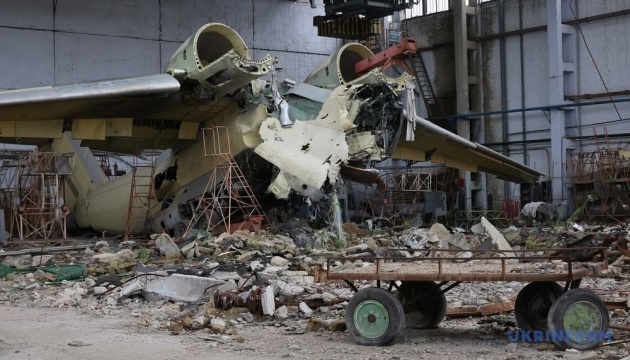
Kharkiv Aircraft Plant estimates damage from Russian attacks at UAH 6 billion
The state-owned aviation plant in Kharkiv has suffered massive destruction due to over 30 missile strikes, aerial bombs, and drone attacks.
 🏛️Politics
Trump Administration Demands Ukraine Peace Deal by January: Kyiv and EU Alarmed
The White House is pushing for an urgent peace agreement between Ukraine and Russia by January, fearing a shift in the US political landscape after the new Congress takes…